
Meta Muse Gadget SDK: Build Your Own ESP32 and Pi Devices
Meta open-sourced Apache 2.0 ESP32 and Linux SDKs for DIY Muse gadgets, with candid security caveats and a Home Link giveaway of 5,000 units.
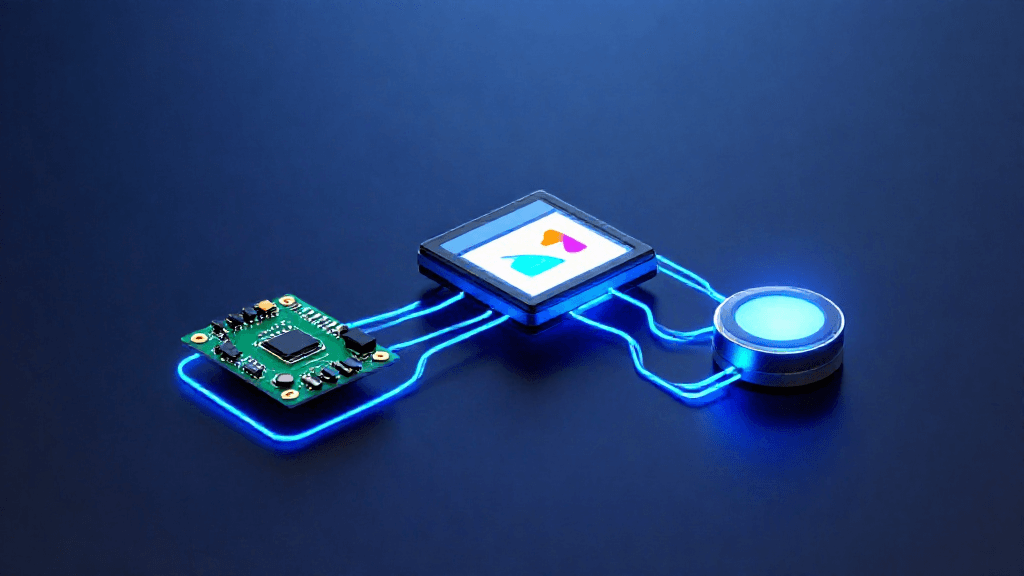
Meta open-sourced Apache 2.0 ESP32 and Linux SDKs for DIY Muse gadgets, with candid security caveats and a Home Link giveaway of 5,000 units.
Introduction
On October 2, 2026, Meta introduced Muse Gadgets, a project that lets hobbyists build their own hardware that connects to its Muse AI agent. The code sits in the facebookincubator/muse-gadget-sdk repository on GitHub, created the same day and licensed under Apache 2.0. Meta's project page describes the result as "open source devices you build yourself" and adds, in the same breath, "Proceed at your own risk!" Our earlier coverage of Muse at Connect 2026 dealt with the agent's consumer features and Meta's own hardware. This article looks only at the new angle: the developer SDKs that let outsiders extend Muse onto boards they wire up themselves.
Feature Overview
Two device SDKs. The repository splits into an ESP32 Device SDK and a Linux Device SDK. The ESP32 SDK is firmware you flash onto an ESP32-compatible board so that Muse reaches your home Wi-Fi. It is built with Espressif's ESP-IDF, and the README states that version 6.0.1 is the supported one and that other versions are not. The Linux SDK turns a Raspberry Pi or another Linux computer with Bluetooth LE into a gadget. The README lists the Pi 3B+, 4, 5 and Zero 2 W, plus Raspberry Pi OS Bullseye or later, Debian 11 or later, or Ubuntu 22.04 or later.
Board support list. The ESP32 README names eleven boards. The ESP32-C5 DevKitC-1 is the quickest start, with a status light and a BOOT button. Six boards run the full on-screen interface with an animated avatar and push-to-talk, including the Waveshare ESP32-S3-Touch-AMOLED-1.75C, the M5Stack StickS3 and the AIPI Lite. Others, such as the Seeed reTerminal E1001 with a 7.5-inch black-and-white e-paper panel, show status and images. Boards without PSRAM, such as the classic ESP32 and the ESP32-C6, run without the home-network tunnel because it needs more memory than they have.
Home-network tunnel. On boards that support it, the firmware lets Muse reach the devices you already own and anything you build with a local HTTP API. A repository folder of community skills extends this idea: it holds more than forty device folders, from printers to smart plugs to speakers, each a Markdown-only skill. The folder is labeled as community-sourced and "not official integrations."
Linux commands. Once paired, the Linux SDK exposes four commands to Muse: system.run for shell commands, file.read, file.write and device.health. The README says commands run as the account you installed for, "with exactly that account's permissions," so if the account can use sudo, so can Muse. Programs on the machine can also push messages to Muse with the musegadget send-user-msg command.
Agent-assisted building. Each SDK directory carries an AGENTS.md file so a coding agent can set up the toolchain, build, flash and read logs. The README recommends Muse Code for this and notes that other agents reading AGENTS.md also work.
Usability Analysis
Every gadget needs an SDK token from gadgets.muse.ai, even one you build for yourself, and the README asks builders to read the Gadget SDK Terms first. Pairing happens in the Muse app on iOS or Android under Settings > Devices, with Developer mode turned on, where devices appear with a "MuseGadget" prefix. On the ESP32 path, a status light moves from orange (ready for setup) to blue (press the button to confirm) to green (connected), which makes the flow readable without a screen.
The project's own security notes are candid. Pairing has no manufacturer verification and cannot prevent an active man-in-the-middle attack, so the README says to set it up on a trusted network. The SDK token ships inside ESP32 firmware, so Meta tells builders to treat it as an identifier rather than a password and to revoke it if it leaks. Without NVS encryption, anyone with physical access can read Wi-Fi credentials and device tokens from flash, and the README strongly recommends turning it on. Builds are signed with a development key and never enable Secure Boot.
The hardware suggestions come from the project page and The Verge: a color E Ink display for reminders and a morning briefing (the Seeed reTerminal E1002 is the example), a small touchscreen, and an HDMI stick for the big screen. The HDMI stick, titled "Muse on your TV," is marked "Coming soon" on the page, so it is a planned idea rather than a shipped option.
Muse Home Link
Meta also made a gadget of its own. According to Nat Friedman of Meta Superintelligence Labs, cited by The Verge, the company manufactured 5,000 Muse Home Link units. TechCrunch reports it is a USB-C-powered device that lets Muse connect to a home network and talk to smart devices such as speakers and smart TVs, and that Meta is giving units to Muse subscribers while supplies last. The Verge says a waitlist is open and shipping is planned for sometime this month. Meta's examples of community-built skills include turning on a light, controlling a TV or sending a document to a printer, "depending on your setup."
Pros and Cons
The strengths are practical. The license is permissive, the board list is concrete, and the documentation is direct about what can go wrong. The weaknesses are equally concrete: the ESP32 toolchain is pinned to one ESP-IDF version, community skills are unofficial, and the Linux SDK hands the agent shell and file access on a machine you own.
Outlook
The skills README says the community skills "may eventually be made available in the Muse product," though nothing in the repository commits to that. Meanwhile Meta runs a Discord community for builders, and the skills folder accepts contributions through pull requests, so the range of supported devices can grow without Meta writing each integration.
Conclusion
Muse Gadgets is a well-documented, permissively licensed entry point for anyone who wants an AI agent wired into their own boards, and its security notes are worth reading before flashing anything. It suits makers comfortable with ESP-IDF or Linux administration, and it is not meant for casual users. Treat the HDMI stick as an announcement, not a product.
Editor's Verdict
Meta Muse Gadget SDK: Build Your Own ESP32 and Pi Devices earns a solid recommendation within the Other LLM space.
The strongest case for paying attention: Apache 2.0 license with a clear list of third-party exceptions. That alone raises the bar for what readers should expect in this space. Reinforcing that, concrete board list with per-board build instructions and a desktop simulator — practical value rather than just headline appeal. The broader signal worth registering is straightforward: the SDK splits cleanly into a microcontroller path and a Linux path, so builders can choose between a low-power ESP32 and a full computer. On the other side of the ledger, one constraint is real rather than a marketing footnote: the ESP32 toolchain is pinned to ESP-IDF 6.0.1 and other versions are not supported. It should factor into any serious decision. Layered on top of that, pairing has no manufacturer verification and cannot stop an active man-in-the-middle attack — which narrows the set of teams for whom this is an obvious yes.
For multi-model deployment teams, cost-conscious operators, and developers willing to evaluate beyond the major labs, this is a serious evaluation candidate, not just a curiosity to bookmark. For everyone else, the safer posture is to monitor coverage and revisit once the use cases that matter to your team are demonstrated in the wild.
Pros
- Apache 2.0 license with a clear list of third-party exceptions
- Concrete board list with per-board build instructions and a desktop simulator
- Security caveats stated plainly in the README, including NVS encryption advice
- AGENTS.md files make agent-assisted building a first-class path
Cons
- The ESP32 toolchain is pinned to ESP-IDF 6.0.1 and other versions are not supported
- Pairing has no manufacturer verification and cannot stop an active man-in-the-middle attack
- The Linux SDK gives Muse shell and file access with the installing account's permissions
- Community device skills are unofficial and the HDMI stick is still marked coming soon
References
Comments0
Key Features
1. Two open-source SDKs: an ESP32 firmware SDK (ESP-IDF 6.0.1) and a Linux SDK for Raspberry Pi-class machines 2. Eleven listed ESP32 boards, six with the full on-screen UI, avatar and push-to-talk 3. Linux commands system.run, file.read, file.write and device.health, run with the installing account's permissions 4. SDK token and Muse app pairing (Settings > Devices, Developer mode) for every gadget 5. AGENTS.md in each SDK folder so coding agents such as Muse Code can build and flash 6. Community device skills folder, labeled unofficial, plus a Home Link giveaway of 5,000 units
Key Insights
- The SDK splits cleanly into a microcontroller path and a Linux path, so builders can choose between a low-power ESP32 and a full computer
- Permissive Apache 2.0 licensing lets makers fork firmware and add boards, though the Jollybot avatar and two third-party files sit outside that license
- Shell and file access on the Linux SDK means the agent inherits whatever the installing account can do, so a no-sudo account is the safer default
- Pairing without manufacturer verification shifts trust to the builder's own network, which the README says to keep trusted
- Community skills for printers, TVs and smart plugs are Markdown-only and unofficial, so quality will depend on contributors
- The HDMI stick idea is marked coming soon on the project page and should not be counted as an available option
- Home Link units were manufactured in a run of 5,000 and are being given to Muse subscribers while supplies last
Was this review helpful?
Share
Related AI Reviews
Meta Expands Muse Agent With Video Chat, Glasses, Charm
Meta expanded its Muse AI agent at Connect 2026 with video chat, smart glasses, Mac control, and a Muse Charm wearable shipping in December.
Grok 4.7 Review: Same Price, Trails Fable 5.1 and GPT-6
xAI's Grok 4.7 keeps Grok 4.6's $2/$6 pricing on a larger base model, but Artificial Analysis scores it 46 versus 53 for Fable 5.1 and GPT-6.

Qwen3.8-Omni-Flash Undercuts Gemini Flash on Price
Alibaba's new omnimodal model prices at $0.15/$0.47 per million tokens, far below Gemini 3.8 Flash, with benchmarks that are close but mixed.

TypeSafe AI Launches Jev, a New System One Model
Ex-OpenAI researcher Diogo Almeida's TypeSafe AI released Jev in early access, a structured-decision model priced at $0.042 per million input tokens.