
Grok Imagine Image 2.0: Precision Editing Meets Top Ranking
xAI's Grok Imagine Image 2.0 adds precise region editing, 5-image compositing, and smart resizing, claiming the #2 spot on image arena rankings.
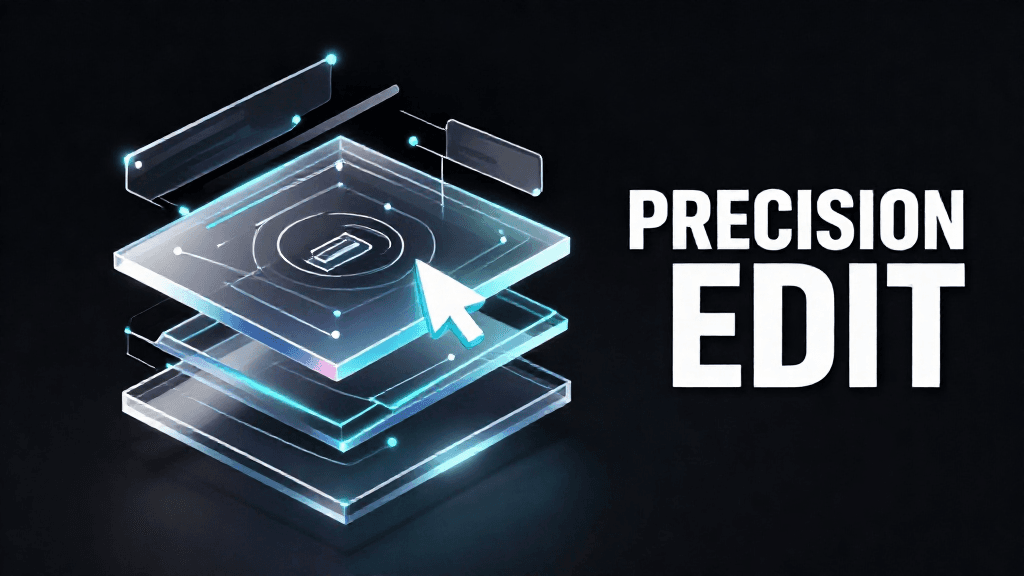
xAI's Grok Imagine Image 2.0 adds precise region editing, 5-image compositing, and smart resizing, claiming the #2 spot on image arena rankings.
Introduction
xAI shipped Grok Imagine Image 2.0 on August 7, 2026, replacing the prior generation as the new "Quality Mode" on grok.com/imagine and inside xAI's iOS and Android apps. A detailed third-party writeup followed on August 8, 2026, from Unite.AI, confirming the feature set and positioning.
The update lands amid a busy year for xAI's multimodal stack. Grok 4.5 launched July 16, 2026, and xAI previously shipped the grok-imagine-video-1.5 API for video generation. Grok Imagine Image 2.0 succeeds Grok Imagine Image 1.0 and shifts the focus toward precise, localized editing rather than only full-image generation. xAI also claims a #2 global ranking in both text-to-image generation and image editing arena leaderboards, trailing only OpenAI's gpt-image-2.
This matters because image generation tools increasingly compete on editing precision, not just raw generation quality. Grok Imagine Image 2.0's feature set targets exactly that gap, adding region-specific edits, multi-image compositing, and flexible resizing to what was previously a single-shot generation tool.
Feature Overview
The headline addition is region-based editing through a "magic wand" tool. Users point at a specific area of an image, and the model edits only that region, leaving the rest untouched. This pairs with a segmentation tool for selecting precise areas to modify, and a background removal feature that exports the isolated subject with a transparent background. Together, these three tools move Grok Imagine from a pure generator toward a lightweight, in-app editing suite.
Multi-image compositing is the second major feature. The app's multi-reference editing mode accepts up to five input images in a single generation, letting users combine multiple subjects, products, or scenes without manually stitching or layering images beforehand. Notably, this app-level capability outpaces xAI's own API: according to xAI's developer documentation, the API currently supports only up to three reference images per generation. That two-image gap between the consumer app and the API is a real constraint for anyone planning to build automated workflows around the model.
Smart resizing rounds out the core feature set. A recomposition tool adapts a single image across nine aspect ratios, spanning from 1:2 to 2:1, with the model intelligently filling in the expanded frame rather than simply cropping or stretching the source image. This is useful for repurposing one image across formats like square social posts, vertical stories, and wide banners.
Underpinning all of this, xAI says the model was trained specifically for fidelity across photography, design, and illustration styles, with particular emphasis on planning typography and layout. The stated goal is that dense, multi-part visuals—think infographics, posters, or UI mockups—hold together compositionally, and that small text renders sharply rather than degrading into illegible artifacts, a common failure point for prior-generation image models.
Usability Analysis
Grok Imagine Image 2.0 is live now, not a future promise, which sets it apart from many AI announcements. Web users can access it immediately via Quality Mode on grok.com/imagine, and mobile users get the same capabilities through xAI's iOS and Android apps.
For casual creators and designers, the region editing and background removal tools reduce the need to jump into external editing software for basic composite work. Being able to isolate a subject with transparency, or fix a single element of an image without regenerating the whole scene, addresses a common pain point with earlier single-shot generation models, where any edit meant starting over or accepting unpredictable full-image changes.
The five-image compositing feature is well-suited to scenarios like product mockups or group scenes that previously required manual layering in external tools. Combined with smart resizing, a single generated asset can be repurposed across nine aspect ratios without a full regeneration, which is a practical time-saver for social media and marketing use cases.
Developers looking to integrate Grok Imagine Image 2.0 into automated pipelines face a different reality. API access is listed only as "coming soon," with no release date, model ID, or pricing disclosed on xAI's launch page. Even once available, the API's three-image reference cap versus the app's five-image cap means production workflows won't have full parity with the consumer experience at launch.
Pros and Cons
Pros:
- Precise, non-destructive region editing (magic wand plus segmentation) cuts down on manual masking work.
- Native background removal with transparency export streamlines compositing without external tools.
- Up to five-image multi-reference compositing in-app removes the need for manual stitching of complex scenes.
- Nine-ratio smart resizing adapts one image across many formats without full regeneration.
- A #2 global ranking across two arena leaderboards offers a credible, third-party-adjacent signal of competitiveness.
Cons:
- The API currently caps multi-reference compositing at three images, versus five in the app, creating a capability gap for developers.
- API access is "coming soon" with no disclosed release date, model ID, or pricing.
- Only a ranking position was disclosed—no numeric Elo score or benchmark data—making it hard to judge how close Grok Imagine Image 2.0 is to the #1 model or how far ahead it is of lower-ranked competitors.
- Full feature access is currently confined to web and mobile apps, limiting automated or large-scale production use until the API matures.
Outlook
The near-term question is how quickly xAI closes the app-to-API gap. Once the API ships, matching the five-image reference limit and disclosing pricing will determine whether Grok Imagine Image 2.0 becomes a realistic option for developers building production image tools, rather than just a consumer-facing feature.
The typography and layout-focused training could be a meaningful differentiator if it holds up across broader use, particularly for design workflows involving infographics, dense multi-panel content, or any output where legible small text matters. This is a specific, verifiable strength claim that will be tested as more users generate real-world assets.
Competitively, xAI landing at #2 behind OpenAI's gpt-image-2 in both text-to-image and image-editing arenas keeps the pressure on. Without disclosed benchmark scores, it's not possible to know whether that #2 position is a close second or a distant one, and xAI's next move—whether that's another model update or more transparent benchmark disclosure—will clarify that gap.
More broadly, Grok Imagine Image 2.0 fits into xAI's rapid 2026 release cadence, following Grok 4.5 in July and the grok-imagine-video-1.5 API before that. This pace suggests xAI intends to keep iterating quickly across its multimodal lineup rather than treating image and video generation as static, standalone products.
Conclusion
Grok Imagine Image 2.0 is a substantive upgrade for xAI's image tools, trading pure generation for a more complete editing toolkit: region-specific edits, background removal, multi-image compositing, and flexible resizing. It's available today on web and mobile, and its #2 arena ranking is a reasonable, if unquantified, signal of competitiveness against OpenAI's gpt-image-2.
The update is best suited to creators, designers, and casual users working directly in the Grok app or on grok.com/imagine. Developers and teams planning API-based integrations should hold off, given the undisclosed pricing and timeline, and the narrower three-image reference limit expected at launch. As a consumer-facing tool it delivers clear, usable improvements; as a platform for builders, it remains a work in progress.
Editor's Verdict
Grok Imagine Image 2.0: Precision Editing Meets Top Ranking earns a solid recommendation within the Other LLM space.
The strongest case for paying attention: precise, non-destructive region editing reduces manual masking work. That alone raises the bar for what readers should expect in this space. Reinforcing that, native background removal with transparency export streamlines compositing — practical value rather than just headline appeal. The broader signal worth registering is straightforward: region-based editing (magic wand, segmentation, background removal) shifts Grok Imagine from single-shot generation toward a lightweight editing suite. On the other side of the ledger, one constraint is real rather than a marketing footnote: API supports only three reference images versus five in the app, an inconsistent capability gap. It should factor into any serious decision. Layered on top of that, API access is listed as 'coming soon' with no disclosed release date, model ID, or pricing — which narrows the set of teams for whom this is an obvious yes.
For multi-model deployment teams, cost-conscious operators, and developers willing to evaluate beyond the major labs, this is a serious evaluation candidate, not just a curiosity to bookmark. For everyone else, the safer posture is to monitor coverage and revisit once the use cases that matter to your team are demonstrated in the wild.
Pros
- Precise, non-destructive region editing reduces manual masking work
- Native background removal with transparency export streamlines compositing
- Up to five-image compositing in-app removes manual stitching for complex scenes
- Nine-ratio smart resizing adapts one image across many formats without regeneration
- Ranked #2 globally across two arena leaderboards, trailing only OpenAI's gpt-image-2
Cons
- API supports only three reference images versus five in the app, an inconsistent capability gap
- API access is listed as 'coming soon' with no disclosed release date, model ID, or pricing
- Only a ranking position was disclosed, with no numeric benchmark scores to gauge the gap to #1
- Full feature set is currently limited to web and mobile apps, not yet available for production pipelines
References
Comments0
Key Features
Grok Imagine Image 2.0 adds magic-wand region editing, segmentation, and background removal with transparency; multi-image compositing for up to five references in-app (three via API); and smart resizing across nine aspect ratios from 1:2 to 2:1. xAI claims a #2 global ranking in text-to-image and image-editing arenas, behind OpenAI's gpt-image-2.
Key Insights
- Region-based editing (magic wand, segmentation, background removal) shifts Grok Imagine from single-shot generation toward a lightweight editing suite
- Five-image multi-reference compositing removes manual stitching for complex, multi-subject scenes
- The API's three-image reference cap versus the app's five-image cap is a real capability gap developers should account for
- Smart resizing across nine aspect ratios lets one generated asset serve multiple formats without full regeneration
- Training emphasis on typography and layout targets a known weak point in prior-generation image models: legible small text
- A #2 arena ranking in two leaderboards is a meaningful but unquantified competitive signal, since no numeric scores were disclosed
- API access remains undated and unpriced, limiting the update's relevance for production or automated workflows for now
- The release continues xAI's fast 2026 cadence, following Grok 4.5 and the grok-imagine-video-1.5 API
Was this review helpful?
Share
Related AI Reviews

Meta Expands Muse Agent With Video Chat, Glasses, Charm
Meta expanded its Muse AI agent at Connect 2026 with video chat, smart glasses, Mac control, and a Muse Charm wearable shipping in December.
Grok 4.7 Review: Same Price, Trails Fable 5.1 and GPT-6
xAI's Grok 4.7 keeps Grok 4.6's $2/$6 pricing on a larger base model, but Artificial Analysis scores it 46 versus 53 for Fable 5.1 and GPT-6.

Qwen3.8-Omni-Flash Undercuts Gemini Flash on Price
Alibaba's new omnimodal model prices at $0.15/$0.47 per million tokens, far below Gemini 3.8 Flash, with benchmarks that are close but mixed.

TypeSafe AI Launches Jev, a New System One Model
Ex-OpenAI researcher Diogo Almeida's TypeSafe AI released Jev in early access, a structured-decision model priced at $0.042 per million input tokens.