
Google Photos Video Remix Launches: AI Video Editing via Gemini Omni
Google Photos' new Video Remix feature, powered by Gemini Omni, lets Google AI Plus, Pro, and Ultra subscribers apply AI templates to restyle personal videos in the Create tab.
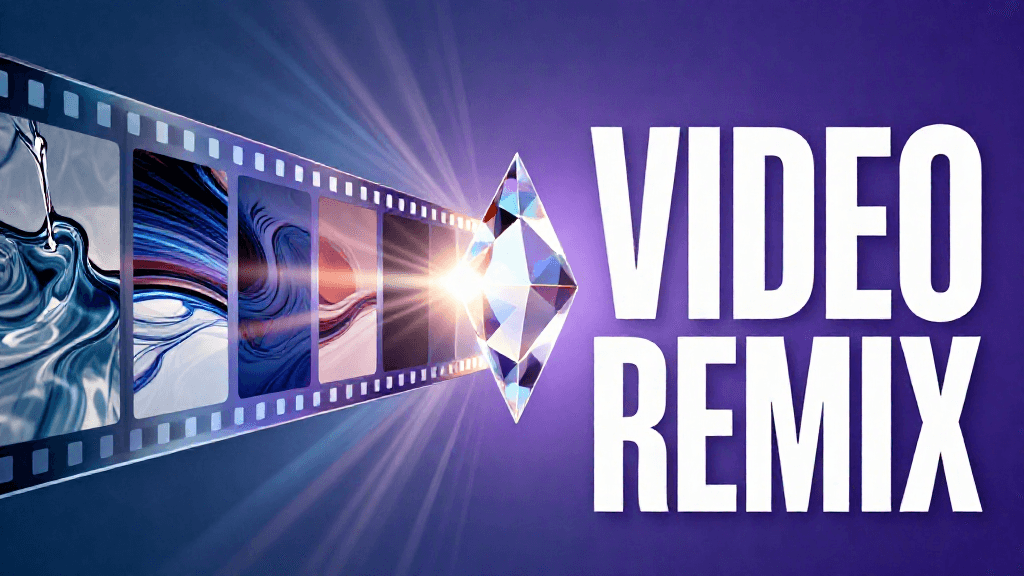
Google Photos' new Video Remix feature, powered by Gemini Omni, lets Google AI Plus, Pro, and Ultra subscribers apply AI templates to restyle personal videos in the Create tab.
Introduction
On July 8, 2026, Google added Video Remix to Google Photos, a new AI-powered video editing feature built into the app's Create tab. Video Remix joins existing Create tab tools, appearing alongside Image Remix and Photo to Video. The feature lets users take an existing video clip from their own library and apply AI-generated templates to transform its look, without opening separate editing software.
Google framed the launch around removing the skill barrier to video editing. In its announcement, the company stated: "Creating beautiful video clips shouldn't require professional skills or hours of editing. Now, with Video Remix in Google Photos, you can transform ordinary videos into share-worthy moments in just a few taps."
Feature Overview
Video Remix works from a curated template library rather than open-ended prompting. Users select a clip already stored in Google Photos, then tap a preset described in natural language to apply a transformation. Templates fall into several broad categories.
Environmental changes relocate the setting of a video. Google's own example template, "Set my video in a greenhouse," swaps the visible surroundings of a clip while keeping the original subject and action intact.
Artistic styles repaint footage in a chosen medium. The launch lineup includes "Paint my video in dreamy watercolor," alongside sketchbook and oil-painting style variants, applying a consistent painterly look across the frames of a clip.
Cinematic lighting effects adjust the mood and tone of a video. The example template "Relight my video with a morning glow" changes lighting conditions after the fact, something that would normally require reshooting or manual color grading.
Background replacement swaps out the setting behind the subject of a video while preserving the foreground content, functioning as a video equivalent of background removal tools already common in photo editing.
All of these transformations run on Gemini Omni, the model Google describes as built to "create anything from any input." Gemini Omni accepts a combination of text, image, and video and generates new content in response. That underlying multimodal capability is what Video Remix draws on to interpret a template instruction and apply it to an existing clip from a user's library.
Usability Analysis
The tap-to-apply template model is the core usability decision behind Video Remix. Rather than asking users to write a prompt describing a desired edit, Google surfaces a fixed set of named presets directly inside the Create tab. This lowers the skill floor considerably: a user does not need to know how to phrase an effective AI prompt, only which preset name matches the result they want.
That same design choice is also the feature's main constraint. Because templates are curated rather than freely composable, users cannot request an arbitrary transformation that falls outside the preset list. The feature is best suited to casual users looking for a fast way to add visual interest to everyday clips before sharing them, rather than to creators who need precise or highly specific edits.
Access is gated behind a paid Google AI subscription. Video Remix is available only to Google AI Plus, Pro, and Ultra subscribers; it is not part of the free Google Photos experience. Rollout began July 8, 2026 in a specific set of markets: the United States, Argentina, Bangladesh, Brazil, Colombia, Egypt, India, Indonesia, Japan, Mexico, Pakistan, Philippines, South Korea, and Turkey. Users outside these regions, or without a paid subscription, do not currently have access.
Where Video Remix Fits
Video Remix is not an isolated addition. It follows a string of recent AI editing tools Google has layered into Google Photos, including touch-up features for blemish removal, skin refinement, eye brightening, and teeth whitening, as well as a digital "clothing closet" feature powered by AI outfit visualization. Taken together, these additions show Google steadily expanding Google Photos from a storage and organization app into a fuller AI editing surface, with Video Remix extending that pattern from still images into video.
Pros and Cons
Pros:
- Template-based interface removes the need to write or understand AI prompts
- Covers a useful range of transformation types: environment, art style, lighting, and background
- Built on Gemini Omni's multimodal generation, integrated directly into an app most users already have installed
- Fits into an existing, familiar Create tab alongside Image Remix and Photo to Video, requiring no new app to learn
Cons:
- Restricted to Google AI Plus, Pro, and Ultra subscribers; not available on the free Google Photos tier
- Initial rollout covers 14 markets, excluding many countries at launch
- Curated template library limits creative flexibility compared to more open-ended, prompt-based generative video tools
Outlook
Video Remix's launch, alongside prior Google Photos AI features like touch-up tools and the AI clothing closet, suggests Google intends to keep expanding what its Create tab can do with a user's existing photo and video library. The reliance on Gemini Omni as a shared underlying model for this kind of generation also points toward Google consolidating its generative media capabilities across products, rather than building a separate model for each individual feature.
Whether Google expands the template library, widens the regional rollout beyond the initial 14 markets, or extends the feature toward more open-ended editing will determine how far Video Remix reaches beyond its current paid, template-driven form. None of those next steps have been announced.
Conclusion
Video Remix gives Google Photos users a low-effort way to restyle personal video clips using Gemini Omni, without needing separate editing software or prompting skill. Its template-driven design and subscription-only access make it a convenient but bounded tool. It is best suited to Google AI Plus, Pro, and Ultra subscribers in the launch regions who want quick, shareable edits rather than granular creative control.
Editor's Verdict
Google Photos Video Remix Launches: AI Video Editing via Gemini Omni is a workable proposition that fills a clear gap, even if it doesn't fundamentally change the landscape.
The strongest case for paying attention is template-based interface removes the need to write or understand AI prompts, which raises the bar for what readers should now expect from peers in this space. Reinforcing that, covers a useful range of transformation types: environment, art style, lighting, and background adds practical value rather than just headline appeal. The broader signal worth registering is straightforward: video Remix uses a curated template model rather than open-ended prompting, trading creative flexibility for ease of use. On the other side of the ledger, restricted to Google AI Plus, Pro, and Ultra subscribers; not available on the free Google Photos tier is a real constraint, not a marketing footnote, and it should factor into any serious decision. Layered on top of that, initial rollout covers only 14 markets, excluding many countries at launch narrows the set of teams for whom this is an obvious yes.
For Google Cloud and Workspace integrators, multimodal-first teams, and Gemini API adopters, the smart move is to track its trajectory and revisit once the rough edges are filed down. For everyone else, the safer posture is to monitor coverage and revisit once the use cases that matter to your team are demonstrated in the wild.
Pros
- Template-based interface removes the need to write or understand AI prompts
- Covers a useful range of transformation types: environment, art style, lighting, and background
- Built on Gemini Omni's multimodal generation, integrated directly into an app most users already have installed
- Fits into an existing, familiar Create tab alongside Image Remix and Photo to Video
Cons
- Restricted to Google AI Plus, Pro, and Ultra subscribers; not available on the free Google Photos tier
- Initial rollout covers only 14 markets, excluding many countries at launch
- Curated template library limits creative flexibility compared to more open-ended, prompt-based generative video tools
References
Comments0
Key Features
1. Template-driven AI video editing inside the Google Photos Create tab, alongside Image Remix and Photo to Video 2. Preset natural-language templates for environment changes, artistic styles (watercolor, sketchbook, oil painting), cinematic relighting, and background replacement 3. Powered by Gemini Omni, a multimodal model that generates content from combined text, image, and video input 4. Available only to Google AI Plus, Pro, and Ultra subscribers; not on the free tier 5. Rollout began July 8, 2026 across 14 markets, including the US, Brazil, India, Japan, and South Korea
Key Insights
- Video Remix uses a curated template model rather than open-ended prompting, trading creative flexibility for ease of use
- Gemini Omni's ability to accept text, image, and video input in combination is the technical foundation that makes template-based clip transformation possible
- Restricting the feature to paid Google AI Plus, Pro, and Ultra tiers signals Google is using advanced generative features to drive subscription upgrades rather than broad free-tier adoption
- The 14-market rollout at launch leaves many regions without access, a common pattern for Google's staged AI feature releases
- Video Remix follows touch-up tools and the AI clothing closet feature, showing a consistent pattern of Google layering generative AI editing into Google Photos
- Positioning Video Remix inside the existing Create tab, next to Image Remix and Photo to Video, lowers onboarding friction for users already familiar with those tools
- The template approach targets casual, share-ready editing rather than professional or highly customized video production workflows
Was this review helpful?
Share
Related AI Reviews

Google Playground Launches: Build Games From Text Prompts
Google's experimental Playground lets U.S. adults (18+) build and share games from text prompts. WIRED found it fun but samey.

Gemini Agent: Google Cloud's Universal Work Agent
Google Cloud unveiled the Gemini agent at Gemini at Work 2026: one agent for knowledge work and code, in enterprise private preview per The Verge.
SynthID Detector Opens to Everyone with Partner Support
Google opened SynthID Detector on SynthID.com on Oct 7, checking images, video and audio, with partners including OpenAI, NVIDIA and Kakao.
Gemini App Free Tier Drops to Flash-Lite From Oct 9
From Oct 9, Gemini app users without a plan get Flash-Lite only and AI Plus loses Pro; AI Pro and Ultra keep all three models.