
ChatGPT Images 2.5 Review: Sketch, Templates, 50% Faster
OpenAI's ChatGPT Images 2.5 adds Sketch, Templates, and image comments, cuts latency 50%, and doubles API image-token pricing versus gpt-image-2.
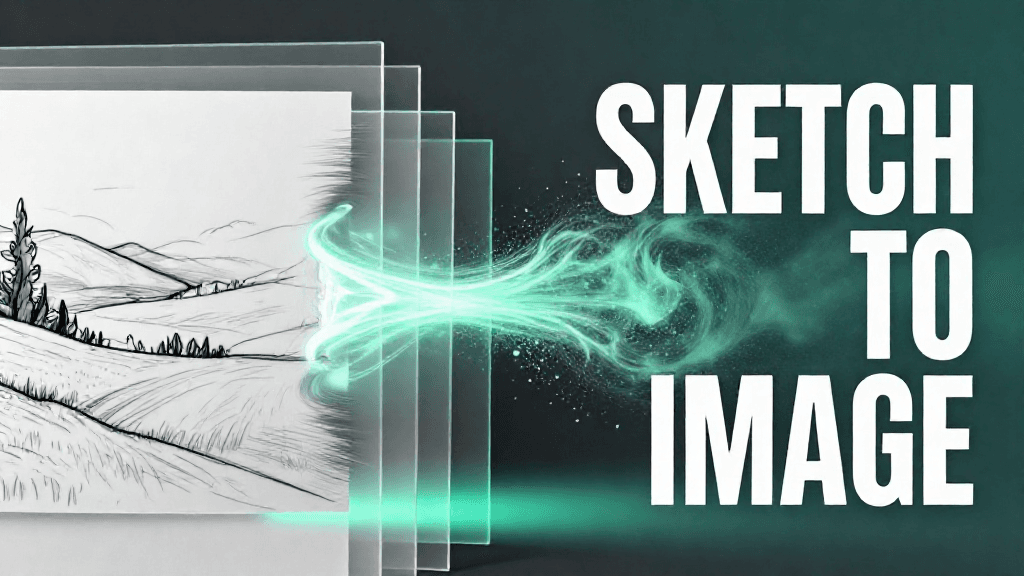
OpenAI's ChatGPT Images 2.5 adds Sketch, Templates, and image comments, cuts latency 50%, and doubles API image-token pricing versus gpt-image-2.
Introduction
OpenAI announced ChatGPT Images 2.5 on September 8, 2026, rolling out immediately to all ChatGPT, ChatGPT Work, and Codex users across desktop, mobile, and web. This follows OpenAI's Images 2.0 (gpt-image-2), which Evermx reviewed at launch in April 2026 for its near-perfect text rendering and reasoning-powered generation. Images 2.5 targets a different set of improvements: sharper details, more precise editing, and faster generation. OpenAI says more than 3 billion images are now created every week across ChatGPT Images and the GPT-Image API, a scale that makes even small latency or reliability gains meaningful. Alongside the new model, OpenAI shipped several product features aimed at making image creation more collaborative and less prompt-dependent, including a sketch-based input tool, ready-made templates, and inline image comments.
Feature Overview
A Faster, More Consistent Base Model
Images 2.5 is built to produce sharper details and more natural lighting and textures than its predecessor. OpenAI says the model is better at preserving the identity of subjects pulled from reference photos, and it follows editing instructions more reliably across multiple turns: earlier changes stay intact as new edits are layered on, rather than degrading with each pass. Generation latency is cut by up to 50% compared with Images 2.0, a change OpenAI frames as meaningful given the volume of images already flowing through ChatGPT and the API. The model is also described as better at following complex visual instructions, more accurate on real-world information depicted in images, and more capable of handling complex layouts, including transparent backgrounds and specific requested visual styles.
New Ways to Direct an Image
Four product features accompany the model. Sketch, activated by typing "@Sketch" in ChatGPT, lets users draw directly in the chat as a visual reference: a rough room layout, an outfit silhouette, or a simple doodle, which the model then turns into a finished image. Templates provide pre-built formats for common outputs — OpenAI names "Poster" and "Merch" as examples, alongside flyers and product photos — so users add details to a structure instead of starting from a blank canvas. Comments directly on images let users mark up a specific area of an existing image for more targeted edits, rather than describing the change in text alone. Shareable prompts let a user publish the exact prompt behind an image so others can remix it with their own photos or details.
Two New API Models
Developers get two model options: GPT-Image-2.5 Flare, the default choice for most applications, positioned as higher quality than gpt-image-2 at half the latency, aimed at social content, product imagery, visual search, and high-volume generation; and GPT-Image-2.5 Sunburst, built for premium workflows needing tighter editing control, with longer generation times, aimed at production campaign creative. Both API models add xhigh and max quality settings on top of the low/medium/high tiers earlier GPT Image models support, and both accept custom dimensions up to 3840 pixels per edge within a 1:3 to 3:1 aspect ratio. Safety measures carry over from prior releases: prompt and image checks, C2PA metadata, and invisible watermarking, detailed in a published system card whose evaluations cover safety refusals rather than image quality.
Usability Analysis
Sketch is the most immediately tangible addition. In hands-on testing by The Verge, a reporter typed "@Sketch," drew a rough doodle with a mouse, and received back a realistic photo built from that sketch, a workflow closer to art direction than prompt writing. The same hands-on coverage tested the new comment feature by marking up an existing image to change a cat's eye color, illustrating how targeted, localized edits can replace rewriting an entire prompt to fix one detail.
Templates should lower the barrier for users who know what they want (a poster, a merch flyer) but not how to describe it from scratch. Shareable prompts add a social layer, letting one user's exact setup circulate and get remixed by others rather than reverse-engineered from a finished image.
Because Images 2.5 rolls out to every ChatGPT tier, Work, and Codex from day one, adoption should be immediate rather than gated behind a paid plan or waitlist. The claimed 50% latency reduction should be most noticeable in the new multi-turn and comment-based editing flows, where users previously waited through several slow regenerations to refine a single image.
Pros and Cons
Pros
- Up to 50% faster generation than Images 2.0, most noticeable in multi-turn editing sessions
- Multi-turn edit consistency keeps earlier changes intact as new edits are layered on
- Sketch and image comments give users non-text ways to direct output, useful for people who can draw but struggle to describe visuals in words
- Immediate availability across every ChatGPT tier, Work, and Codex, with no waitlist
Cons
- API image-token pricing for both Flare and Sunburst is exactly double gpt-image-2's rates ($8 vs $4 per million input tokens, $30 vs $15 output), despite Flare being pitched as the faster, cheaper-latency option
- Flare and Sunburst carry identical published pricing despite OpenAI positioning them for very different workloads, so cost alone won't help developers pick between them
- OpenAI published no capability or quality benchmarks for Images 2.5; the system card covers safety evaluations only, so the "sharper details" and better instruction-following claims rest on the company's own description
Outlook
Images 2.5 arrives less than five months after Images 2.0, a short enough gap to suggest OpenAI is treating image generation as an actively iterated product line rather than an occasional flagship refresh. The shift in emphasis, from Images 2.0's headline text-rendering accuracy to Images 2.5's speed and editing consistency, indicates OpenAI sees iterative, multi-turn refinement as the more common real-world workflow, rather than one-shot generation.
The new product features point toward positioning ChatGPT Images as a lightweight creative tool rather than a pure prompt-to-image generator: Sketch competes for the same use cases as reference-image and inpainting tools in dedicated design software, while Templates and shareable prompts add the kind of structure and social distribution that consumer creative apps rely on. Whether the doubled API token pricing slows enterprise adoption of Flare and Sunburst will likely become clearer once developers publish real production costs at volume.
Conclusion
ChatGPT Images 2.5 is an iterative but genuinely useful update: faster generation, more consistent multi-turn editing, and new ways to start an image without writing a prompt. It suits existing ChatGPT users doing casual design work, and developers building consumer-facing creative features who value the reduced Flare latency. Teams already budgeting for gpt-image-2 at high volume should re-run their cost estimates first: the per-token rates for both new API models are exactly double the predecessor's, and OpenAI cautions that token consumption itself varies by model and quality setting, so per-image cost is not a clean 2x either way.
Editor's Verdict
ChatGPT Images 2.5 Review: Sketch, Templates, 50% Faster earns a solid recommendation within the GPT space.
The strongest case for paying attention: up to 50% faster generation than Images 2.0, most noticeable in multi-turn editing sessions. That alone raises the bar for what readers should expect in this space. Reinforcing that, multi-turn edit consistency keeps earlier changes intact as new edits are layered on — practical value rather than just headline appeal. The broader signal worth registering is straightforward: OpenAI shipped an iterative image-model update just under five months after Images 2.0, pairing the model with product features rather than a headline capability claim. On the other side of the ledger, one constraint is real rather than a marketing footnote: API image-token pricing for both new models is exactly double gpt-image-2's rates ($8 vs $4 per million input tokens, $30 vs $15 output). It should factor into any serious decision. Layered on top of that, Flare and Sunburst carry identical published API pricing despite being positioned for very different workloads, offering no cost-based way to choose between them — which narrows the set of teams for whom this is an obvious yes.
For ChatGPT power users, OpenAI API customers, and enterprise teams already running on the OpenAI stack, this is a serious evaluation candidate, not just a curiosity to bookmark. For everyone else, the safer posture is to monitor coverage and revisit once the use cases that matter to your team are demonstrated in the wild.
Pros
- Up to 50% faster generation than Images 2.0, most noticeable in multi-turn editing sessions
- Multi-turn edit consistency keeps earlier changes intact as new edits are layered on
- Sketch and image comments add non-text ways to direct and refine output
- Immediate availability across all ChatGPT tiers, Work, and Codex with no waitlist
Cons
- API image-token pricing for both new models is exactly double gpt-image-2's rates ($8 vs $4 per million input tokens, $30 vs $15 output)
- Flare and Sunburst carry identical published API pricing despite being positioned for very different workloads, offering no cost-based way to choose between them
- OpenAI published no capability or quality benchmarks for Images 2.5 — the system card covers safety evaluations only — so the quality claims rest on the company's own description
References
Comments0
Key Features
1. Sharper details, more natural lighting/textures, and better subject preservation from reference photos than Images 2.0. 2. Multi-turn editing consistency: earlier changes stay intact as new edits are layered on. 3. Generation latency cut by up to 50% versus Images 2.0. 4. Sketch: draw directly in ChatGPT (via "@Sketch") as a visual reference for the final image. 5. Templates for common formats like posters and merch flyers/product photos. 6. Comments directly on images for targeted, localized edits. 7. Shareable prompts so others can remix an image's exact prompt. 8. Two new API models, GPT-Image-2.5 Flare (default, faster) and GPT-Image-2.5 Sunburst (premium, tighter control), both priced at $8/1M input and $30/1M output image tokens, double gpt-image-2's rates.
Key Insights
- OpenAI shipped an iterative image-model update just under five months after Images 2.0, pairing the model with product features rather than a headline capability claim
- The feature set shifts emphasis from Images 2.0's text-rendering accuracy to editing workflow: Sketch, Templates, and image comments target how people start and refine an image, not just what the model can render
- Multi-turn editing consistency addresses a common complaint with iterative AI image editing, where each new edit could degrade earlier changes
- Sketch and image comments give non-verbal ways to direct generation, useful for users who struggle to describe a visual concept in words
- Flare and Sunburst are priced identically in the API despite being positioned for very different workloads, so price alone won't guide model selection
- Both new API models cost exactly double gpt-image-2's per-token image rates, a substantial jump for developers already running gpt-image-2 at scale
- OpenAI's own claim of more than 3 billion images created weekly across ChatGPT Images and the GPT-Image API underscores why latency reductions matter at this scale
- Immediate rollout to every ChatGPT tier, Work, and Codex, rather than a staged or paid-only launch, suggests OpenAI wants broad usage data on the new editing features quickly
Was this review helpful?
Share
Related AI Reviews
ChatGPT Locked Chats: PIN-Gated, Not End-to-End Encrypted
OpenAI's Locked Chats hide selected conversations behind a 4-digit PIN. It is not end-to-end encryption, and a PIN reset deletes them.
OpenAI Details Four June Model Misalignment Incidents
OpenAI's four new reports cover a test-wallet spend, a website auth bypass, internal-system changes and a GET-only workaround.
ChatGPT Browser Extension Adds Tab Context and Control
OpenAI's upgraded ChatGPT extension reads open tabs and controls Chrome via ChatGPT Work, with per-site permission prompts and five browsers.
ChatGPT Intelligent UI: Interactive Answers in GPT-6
OpenAI says ChatGPT now builds charts, maps, forms and tools inside answers, and starts replying while it thinks. Rollout began Oct 7.