
ChatGPT Locked Chats: PIN-Gated, Not End-to-End Encrypted
OpenAI's Locked Chats hide selected conversations behind a 4-digit PIN. It is not end-to-end encryption, and a PIN reset deletes them.
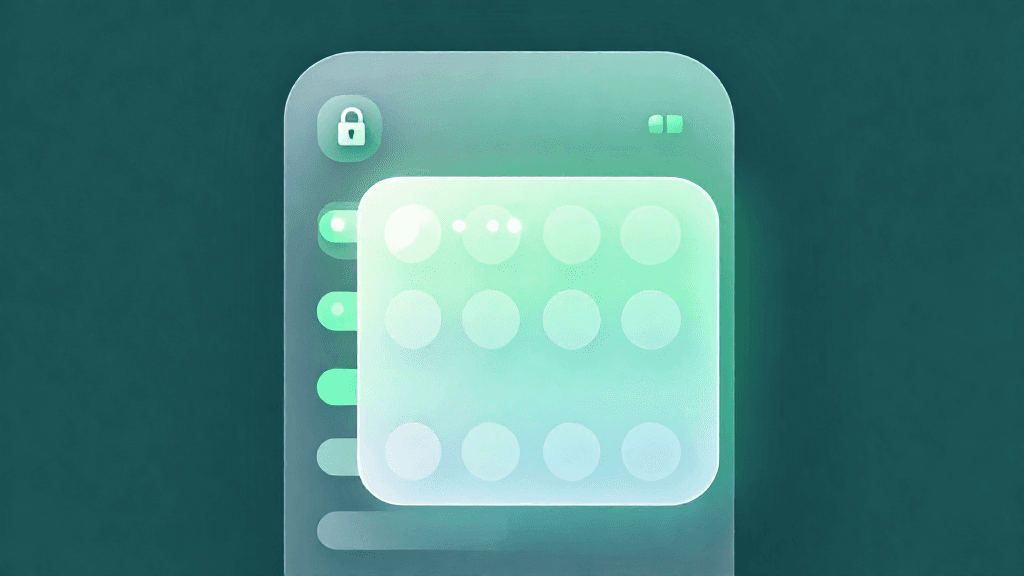
OpenAI's Locked Chats hide selected conversations behind a 4-digit PIN. It is not end-to-end encryption, and a PIN reset deletes them.
Introduction
OpenAI has published a Help Center article, "Using locked chats in ChatGPT," describing a feature that lets users keep selected conversations in their account while hiding them from regular chat history, pinned chats, and regular conversation search. TechCrunch reported on October 20, 2026 that the feature was starting to roll out that Tuesday, and OpenAI's help page says locked chats are rolling out gradually, so the Lock chat option may not yet appear for every account.
The stated purpose, per the help page, is to keep sensitive conversations out of view when you share your screen or use a shared device. This review covers how the feature works according to OpenAI's own documentation, and, just as importantly, what the same page says it does not do.
Feature Overview
1. A PIN-gated area under Projects
Locked chats live under Projects > Locked chats. Opening them requires a 4-digit account PIN. On supported mobile devices you can also use Face ID, Touch ID, or your device unlock method. Device authentication is optional, applies only to the device where you enable it, and does not replace the PIN. The PIN belongs to your OpenAI account, not to a specific workspace, and the same PIN works across supported devices signed in to that account.
To start, you lock an existing conversation (open the more options menu, select Lock chat, confirm, then create the PIN). After that you can start new conversations from Projects > Locked chats.
2. What locking does not do
OpenAI is explicit that locking changes where a conversation appears and how you open it. It does not create end-to-end encryption or a separate encrypted vault, change how long OpenAI retains the chat, change your Improve the model for everyone setting, remove information ChatGPT remembered before you locked the chat, or override workspace policies, safety requirements, or legal and compliance obligations. The help page also notes that anyone who can open a locked chat can still copy its contents.
3. A PIN reset is destructive
Changing the PIN, which requires the current PIN, keeps your locked chats. Resetting a forgotten PIN permanently deletes all locked chats, remembered information stored only within locked chats, and files or other content protected only by the previous PIN. OpenAI says this cannot be undone and that Support cannot recover the content. A workspace administrator cannot reset your PIN or unlock your chats. Deleted conversations then follow the standard retention policy.
4. Memory and files
With Memory enabled, locked chats can use relevant information from regular Memory, and information from messages sent after locking can be remembered for use in other locked chats. Information remembered only within locked chats does not carry into regular chats. Anything remembered before the lock stays remembered. If your organization turns Memory off, locked chats cannot use or create memories.
Files uploaded or created in a chat are protected while it is locked: they open only in that chat and stay hidden from Space and unavailable to other chats, including other locked chats. Files added from elsewhere in Space, or from connected sources, keep their existing access rules.
5. Access windows by platform
| Platform | When access ends |
|---|---|
| Web | Relocks after you are away from the tab; also on page refresh or tab close; a new tab requires authentication again |
| Desktop app | Relocks after you are away from the window |
| iOS and Android | After 1 minute away from a locked chat or the Locked chats area, or 1 minute in the background; also on sign-out or switching accounts or workspaces |
Lock now ends access immediately on any platform.
Availability and Eligibility
Locked chats are available on ChatGPT Free, Go, Plus, Pro, Business, Enterprise, and Edu, but not on ChatGPT for Healthcare. On desktop, use the new ChatGPT app for macOS or Windows; cloud conversations in Chat or Work mode can be locked, while Codex conversations and local Work conversations cannot. Voice works in locked chats on web, iOS, and Android where available to your account, but not in the desktop app.
The Lock chat option is unavailable for temporary chats, archived chats, group chats, chats in the earlier Health experience, chats created from a shared link, chats with scheduled tasks, chats with meeting recordings, chats associated with background tasks, and chats with responses saved as project sources. Locking an eligible chat that already has a shared link does not delete the link, so delete it separately. A chat locked from a project leaves that project and stops using its instructions, files, and memory.
Usability Analysis
The design fits one scenario well: you hand someone your phone or share your screen and do not want a particular conversation to appear in the sidebar or search. TechCrunch relays OpenAI's examples, such as personal conversations or planning a surprise. Unlike temporary chat, which stays out of history and is not used to improve models while it remains temporary, a locked chat is saved and you can return to it at any time; it follows your existing model-improvement setting.
The friction is mostly deliberate. You cannot search across locked chats, and you cannot archive, pin, move, or share them. The help page also warns that other devices where ChatGPT is already open may keep showing a locked chat's title until their lists refresh, and on iOS previously loaded content may stay visible, so check other open devices before sharing a screen. This page does not state how many wrong PIN attempts trigger a temporary lockout or how long the web relock delay is.
On compliance, administrators cannot disable locked chats through a workspace setting or RBAC permission, and cannot unlock them, but locked chats in Enterprise and Edu workspaces are still included in message logs available through the OpenAI Compliance Platform. If ads are available for your account, they may also appear in locked chats.
Pros and Cons
The strengths are breadth and candor. The feature spans Free through Edu plans, device unlock is optional per device, and memory is partly separated so locked-only information stays out of regular chats. The help page states its limits plainly.
The limitations are real. Locking changes visibility, not storage or retention. A forgotten PIN means permanent deletion, and several chat types cannot be locked. Stale titles on other open devices are a practical risk.
Outlook
Because the rollout is gradual, the first thing to watch is whether the option reaches your account. Beyond that, the help page says retention is unchanged, so the feature should be understood as a privacy-in-the-room control rather than a change to how conversations are retained or used.
Conclusion
Locked Chats is a clearly documented screen-and-shared-device privacy feature. It is not encryption, a PIN reset deletes everything it protects, and several chat types are excluded. For people who share devices or screens, it is a practical addition; for anyone needing confidentiality from the provider or an administrator, the help page says locking does not change retention or override workspace and compliance access.
Editor's Verdict
ChatGPT Locked Chats: PIN-Gated, Not End-to-End Encrypted earns a solid recommendation within the GPT space.
The strongest case for paying attention: the feature spans Free through Edu plans rather than being limited to paid tiers. That puts the feature within reach of every listed plan except ChatGPT for Healthcare. Reinforcing that, device unlock is optional and set per device, while the account PIN works across supported devices — practical value rather than just headline appeal. The broader signal worth registering is straightforward: locking changes where a chat appears and how it opens, not how it is stored or retained. On the other side of the ledger, one constraint is real rather than a marketing footnote: locking changes visibility rather than storage, since it is not end-to-end encryption and does not change retention. It should factor into any serious decision. Layered on top of that, resetting a forgotten PIN permanently deletes locked chats, with no recovery even through support — which narrows the set of teams for whom this is an obvious yes.
For people who share a phone, laptop or screen and want a few conversations out of sight, it is worth turning on once it reaches your account, provided you record your PIN somewhere safe. For anyone who needs confidentiality from the provider or a workspace administrator, the help page is clear that locking is not the right tool.
Pros
- the feature spans Free through Edu plans rather than being limited to paid tiers
- device unlock is optional and set per device, while the account PIN works across supported devices
- memory handling keeps information remembered only in locked chats out of regular chats
- the help page spells out limits plainly, including what locking does not do and what a PIN reset deletes
Cons
- locking changes visibility rather than storage, since it is not end-to-end encryption and does not change retention
- resetting a forgotten PIN permanently deletes locked chats, with no recovery even through support
- locked chats cannot be searched across, archived, pinned, moved or shared, and several chat types cannot be locked at all
- other open devices may keep showing a locked chat's title until their lists refresh
References
Comments0
Key Features
1. PIN-gated area: locked chats live under Projects > Locked chats and open with a 4-digit account PIN; Face ID, Touch ID or device unlock is optional per device. 2. Visibility, not encryption: locking hides chats from regular history, pinned chats and search, but does not create end-to-end encryption or change retention or the model-improvement setting. 3. Destructive reset: resetting a forgotten PIN permanently deletes locked chats and content protected only by the previous PIN; changing the PIN with the current one does not. 4. Separate handling of memory and files: information remembered only within locked chats does not carry into regular chats, and protected files open only in their chat. 5. Broad availability: Free, Go, Plus, Pro, Business, Enterprise and Edu plans, but not ChatGPT for Healthcare, with a list of chat types that cannot be locked.
Key Insights
- locking changes where a chat appears and how it opens, not how it is stored or retained
- the help page states the feature is not end-to-end encryption and leaves the retention period and the model-improvement setting unchanged
- a PIN reset is the sharp edge, because it permanently deletes locked chats and the content protected only by the old PIN
- memory is partly walled off, since information remembered only within locked chats does not carry into regular chats, but earlier memories are not removed
- workspace administrators cannot disable locked chats, unlock them or reset a PIN, yet Enterprise and Edu locked chats still appear in Compliance Platform message logs
- mobile apps end access after 1 minute away or in the background, while the web version relocks after absence and on refresh or tab close
- temporary chat and locked chats solve different problems, one avoiding history and the other keeping a saved conversation behind a PIN
Was this review helpful?
Share
Related AI Reviews
OpenAI Details Four June Model Misalignment Incidents
OpenAI's four new reports cover a test-wallet spend, a website auth bypass, internal-system changes and a GET-only workaround.

ChatGPT Browser Extension Adds Tab Context and Control
OpenAI's upgraded ChatGPT extension reads open tabs and controls Chrome via ChatGPT Work, with per-site permission prompts and five browsers.
ChatGPT Intelligent UI: Interactive Answers in GPT-6
OpenAI says ChatGPT now builds charts, maps, forms and tools inside answers, and starts replying while it thinks. Rollout began Oct 7.

OpenAI Math Repo: 722 AI-Produced Manuscripts on GitHub
OpenAI published 722 manuscripts from an internal model on GitHub, with Lean proofs for many. It says some unformalized results could have issues.