
Microsoft 365 Copilot Redesign: Task-Aware Workspace Boosts Usage by Up to 43%
Microsoft unveiled a fundamental redesign of Microsoft 365 Copilot on May 28, 2026, replacing static prompts with a task-aware workspace that drove Excel usage up 33% and PowerPoint up 43%.
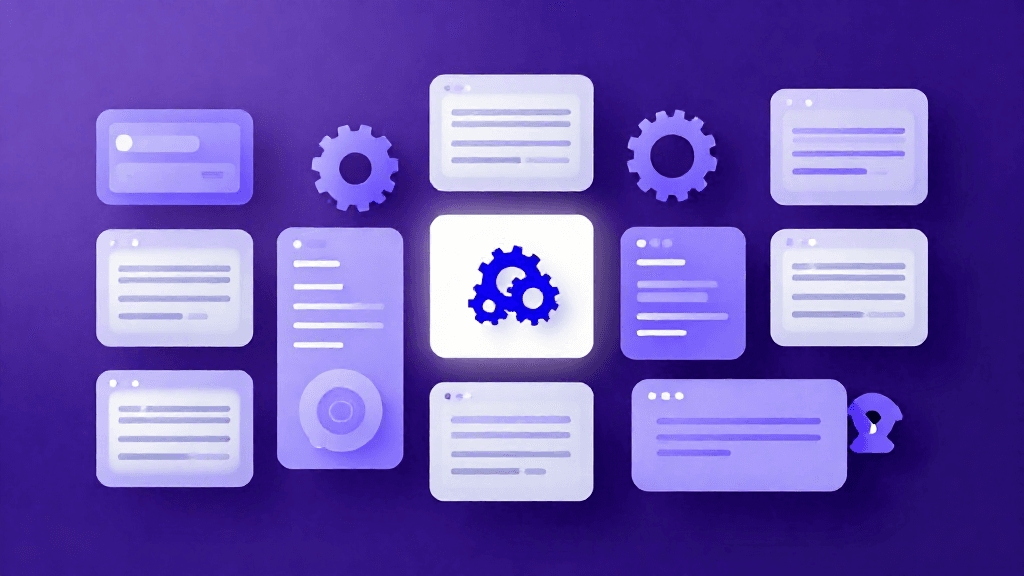
Microsoft unveiled a fundamental redesign of Microsoft 365 Copilot on May 28, 2026, replacing static prompts with a task-aware workspace that drove Excel usage up 33% and PowerPoint up 43%.
A Redesign That Rethinks the Prompt
On May 28, 2026, Microsoft's Chief Design Officer Jon Friedman published a detailed account of a fundamental redesign of Microsoft 365 Copilot. The update does not introduce a new AI model, but it represents a significant rethinking of how AI integrates into everyday work. The central change is the transformation of the static text prompt box into what Microsoft calls a task-aware workspace — an adaptive surface that adjusts to the complexity and context of whatever a user is trying to accomplish.
The announcement describes a deliberate shift from "individual features to connected experiences." Rather than layering AI capabilities onto existing application menus and toolbars, the redesigned Copilot attempts to follow users through natural work patterns, surfacing relevant tools and context without requiring users to explicitly navigate between AI-powered features.
Feature Overview
Task-Aware Workspace
The most visible change is the prompt interface itself. The traditional single-line text box has been replaced with a larger, more expressive input area. Below the input field, Copilot proactively surfaces tools, suggested actions, and contextual controls relevant to the current task. For example, when composing an email in Outlook, Copilot might surface tone adjustment controls and recipient context automatically, without requiring a separate command.
Progressive Disclosure
Microsoft introduced a design principle it calls progressive disclosure. Responses now start simple and expand in structure, formatting, and suggested next steps as the complexity of the task increases. This mirrors how work naturally unfolds — an initial question receives a direct answer, and further steps emerge only when the user's engagement signals a need for more detail.
Work IQ Integration
Work IQ is an intelligence layer that draws from a user's emails, files, calendar events, and meeting transcripts to provide deeper contextual reasoning. When a user asks Copilot to draft a project summary, Work IQ can pull relevant context from recent team communications and documents, grounding the response in real organizational data rather than generic outputs.
Unified App Entry Point
The redesign consolidates Copilot access across Microsoft 365 applications. Previously, Copilot appeared differently depending on whether the user was in Word, Excel, Teams, or Outlook. The redesign establishes a single consistent Copilot access point, so users interact with the same interface regardless of which application they are in. This addresses a key friction point identified in user feedback: the cognitive cost of learning different Copilot interaction patterns across apps.
Agentic Specialized Agents
Copilot now ships with specialized agents for specific tasks: Designer, Researcher, Word, Excel, and PowerPoint. These agents are described as taking independent action and drawing broader context rather than simply responding to isolated prompts. The Designer agent, for instance, can produce visual layouts by combining inputs from multiple documents and email threads without requiring step-by-step guidance from the user.
Usability Analysis
The usage data cited in the announcement is striking. In the period following the rollout of design changes, Microsoft reported increases in Copilot usage across applications: Word up 27%, Excel up 33%, PowerPoint up 43%, and Outlook up 30%. These figures suggest that the redesign succeeded in lowering the activation energy required to start using AI features within documents.
Load times were reduced by more than 50%, and response times for complex prompts improved by approximately 10%. For enterprise users who interact with Copilot dozens of times per day, these performance gains translate into meaningful time savings.
For individual users, the task-aware interface reduces the amount of prompt engineering required to get useful outputs. Instead of constructing explicit instructions for every task, users can rely on Copilot to surface relevant options contextually. This lowers the skill floor for productive AI use.
Pros and Cons
Strengths:
- Task-aware workspace removes friction from AI activation across Microsoft 365 apps
- Progressive disclosure matches AI output complexity to user needs without overwhelming new users
- Unified entry point eliminates the learning curve of different per-app AI interfaces
- Work IQ integration grounds responses in organizational context rather than generic outputs
- Documented usage increases of 27–43% across core Office applications
Limitations:
- The redesign is available through Microsoft 365 subscriptions, which carry per-seat licensing costs that may limit adoption for smaller organizations
- Work IQ's usefulness depends on the quality and volume of organizational data available — sparse data environments will see limited benefit
- The agentic agents remain in early release for some features, with the redesigned workflows experience available initially in early release environments only
- Users who have established Copilot workflows may encounter adjustment friction from the redesigned interface
Outlook
The Microsoft 365 Copilot redesign represents a maturation of enterprise AI tooling. The first generation of AI-integrated productivity tools grafted AI onto existing application structures. The next generation, as Microsoft is demonstrating, is redesigning the foundational interface layer to make AI the primary mode of interaction rather than an optional add-on.
The Work IQ integration points toward a longer-term trajectory in which AI assistants maintain persistent organizational context, reducing repetitive data entry and enabling higher-quality automated outputs over time. The performance improvements — 50% faster load times — also address enterprise deployment concerns about AI tooling degrading application responsiveness.
For competitors, this signals that the battleground for enterprise AI is shifting from benchmark performance to integration depth and interface quality. A model that performs marginally better in isolation matters less if it is embedded in a friction-heavy interface.
Conclusion
Microsoft's May 28, 2026 redesign of Microsoft 365 Copilot is a meaningful step forward in enterprise AI usability. By replacing static prompts with a task-aware workspace, unifying the Copilot entry point across applications, and grounding responses in organizational context through Work IQ, Microsoft has addressed the core friction points that limited enterprise adoption. The usage increases across Word, Excel, PowerPoint, and Outlook provide early empirical validation that the changes are working. Organizations already on Microsoft 365 E3 or E5 with Copilot licenses should expect to see immediate productivity benefits. For organizations evaluating enterprise AI platforms, this redesign strengthens Microsoft's position as the default workplace AI environment.
Editor's Verdict
Microsoft 365 Copilot Redesign: Task-Aware Workspace Boosts Usage by Up to 43% earns a solid recommendation within the ai tools space.
The strongest case for paying attention is task-aware workspace dramatically reduces friction for initiating AI assistance within documents and applications, which raises the bar for what readers should now expect from peers in this space. Reinforcing that, work IQ organizational context grounding produces more relevant, tailored outputs than generic AI responses adds practical value rather than just headline appeal. The broader signal worth registering is straightforward: the redesign shifts Copilot from an optional add-on to the primary interface layer across Microsoft 365 applications, representing a fundamental product strategy change. On the other side of the ledger, full capabilities require Microsoft 365 E3/E5 with Copilot licensing, creating cost barriers for smaller organizations is a real constraint, not a marketing footnote, and it should factor into any serious decision. Layered on top of that, work IQ value is proportional to organizational data richness — new or sparse deployments see limited contextual benefit narrows the set of teams for whom this is an obvious yes.
For product teams, content creators, and knowledge workers looking to upgrade a specific workflow, this is a serious evaluation candidate, not just a curiosity to bookmark. For everyone else, the safer posture is to monitor coverage and revisit once the use cases that matter to your team are demonstrated in the wild.
Pros
- Task-aware workspace dramatically reduces friction for initiating AI assistance within documents and applications
- Work IQ organizational context grounding produces more relevant, tailored outputs than generic AI responses
- 50%+ load time improvement makes Copilot viable for performance-sensitive enterprise workflows
- Unified interface across Microsoft 365 apps eliminates per-app relearning costs
- Empirical usage growth data (27–43% across apps) provides early validation of the redesign's effectiveness
Cons
- Full capabilities require Microsoft 365 E3/E5 with Copilot licensing, creating cost barriers for smaller organizations
- Work IQ value is proportional to organizational data richness — new or sparse deployments see limited contextual benefit
- Some redesigned workflow features remain in early release environments rather than general availability
- Users with established Copilot habits may face adjustment friction from the interface overhaul
References
Comments0
Key Features
1. Task-aware workspace: the static prompt box is replaced by an adaptive interface that surfaces relevant tools and contextual controls based on the current task 2. Progressive disclosure: responses start simple and expand in structure and formatting as task complexity increases 3. Work IQ integration: an intelligence layer drawing from emails, files, calendar events, and meeting transcripts to ground AI responses in organizational context 4. Unified app entry point: a single consistent Copilot interface replaces the separate interaction patterns across Word, Excel, Outlook, Teams, and PowerPoint 5. Specialized agentic agents: Designer, Researcher, Word, Excel, and PowerPoint agents that take independent action with broader context rather than responding only to isolated prompts
Key Insights
- The redesign shifts Copilot from an optional add-on to the primary interface layer across Microsoft 365 applications, representing a fundamental product strategy change
- Post-rollout usage increases of 27% in Word, 33% in Excel, 43% in PowerPoint, and 30% in Outlook suggest the task-aware interface meaningfully lowers the activation energy for AI use
- A 50% reduction in load times and a 10% improvement in complex prompt response times directly address enterprise concerns about AI tooling degrading application responsiveness
- Work IQ's ability to draw from emails, files, and meetings positions Copilot as an organizational memory layer rather than a stateless AI assistant
- The unified entry point across apps eliminates the per-application learning curve that has historically slowed Copilot adoption among non-technical users
- Specialized agentic agents signal a shift from reactive to proactive AI behavior in enterprise productivity tools
- Progressive disclosure makes the redesigned Copilot more accessible to novice users while retaining depth for advanced users who need detailed AI-assisted workflows
Was this review helpful?
Share
Related AI Reviews

Daydream Adds iOS 27 Photo Shopping and Siri Search
Fashion app Daydream uses Apple's iOS 27 tools to turn saved outfit photos into shoppable matches, plus Siri natural-language search.

Roland Melody Flip: Free AI Melody Plug-In With Sony CSL
Roland's free Melody Flip plug-in uses Sony CSL music analysis and 250+ Palettes to help musicians generate MIDI melody, chord, bass, and drum ideas.

Microsoft's MAI-Transcribe-2: Cheap, Fast Speech-to-Text
Microsoft's MAI-Transcribe-2 tops the FLEURS benchmark across 60 languages and costs $0.10 per audio hour, undercutting OpenAI, Google and ElevenLabs.

Testers Praise Instinct AI Agent but Flag Privacy Risks
TechCrunch: testers praise Instinct AI agent for autonomous task skill but flag its data-license terms, unapproved actions, and phishing exposure.