
Canva Craft Review: A Two-Stage In-House Image Model
Canva's first in-house image model plans a layout, then renders it at up to 2K with text in 55 languages. It is live in Dream Lab and the Public API.
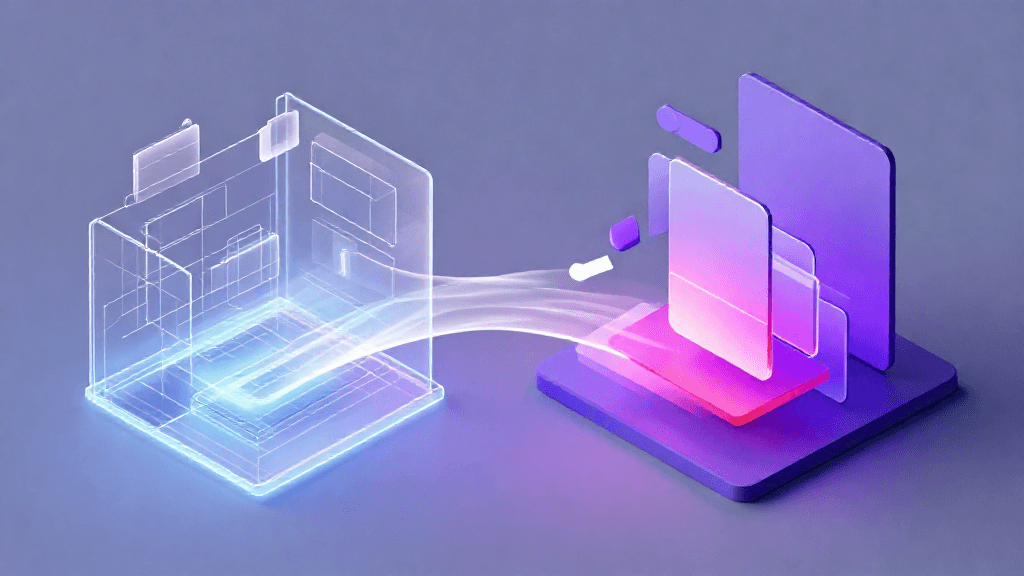
Canva's first in-house image model plans a layout, then renders it at up to 2K with text in 55 languages. It is live in Dream Lab and the Public API.
Introduction
Canva has released Craft, which it describes as its first image generation model, "developed and trained by Canva Research, our in-house AI lab." Canva also calls it the first foundation model that Canva Research built and trained from scratch. According to Canva's announcement, Craft is available to all Canva users globally through Dream Lab, and it is also exposed through Canva's Public API.
The launch matters because of where Canva sits. The company says more than a quarter of a billion people use its platform and that over 400 designs are created every second. TechCrunch reports that Canva has relied on a number of third-party image models inside its product, and that Craft now competes with image models from Google, OpenAI, ByteDance and Meta. This review is based on Canva's announcement and on coverage from TechCrunch and The Verge. We have not tested Craft hands-on, so quality statements below are Canva's claims unless another outlet is named.
Feature Overview
Plan first, then render. Craft uses two stages. In the first, an image planning model interprets the prompt and writes a detailed composition plan: which elements appear, their spatial relationships, relative scale, visual hierarchy and any text that should be shown. In the second, a dedicated image rendering model turns that plan into an image. Canva says this split is what produces legible text, precise object placement and targeted edits that do not alter everything else in the picture.
Resolution, formats and languages. The renderer outputs up to 2K resolution across more than 30 aspect ratios, and users can enter a custom size. Prompts can be written in any language, and Canva says Craft renders text in 55 languages.
Built to feed the editor. Canva says Craft's outputs suit Magic Layers, its tool that converts generated images into editable design elements. It adds that "JSON boundary boxing" makes that layer conversion more accurate and faster. The design logic is that a generated image is only the first draft in Canva, and the useful result is something a user can keep editing.
Design-focused training. Canva trained Craft with an emphasis on design, using "millions of human-made templates from Canva's content library": posters, social posts, presentations, infographics, menus and typography-rich layouts. Post-training combined supervised fine-tuning with reinforcement learning using feedback from Canva's professional designers. In internal evaluations, designers and dozens of researchers compared more than 25,000 image pairs head-to-head against leading models, and Canva says that "when automated evaluations and human judgments differed, we sided with the designer." These are Canva's own internal evaluations.
Speed work. Canva says model distillation cut the number of inference steps to a fraction of the original model's, and that a custom inference engine for the planning stage makes Craft an order of magnitude faster than the first internal version. Two cheaper variants, Craft-fast and Craft-ultrafast, are described as upcoming and are not released yet.
How Craft Ranks
Canva reports that Craft debuted fourth on the DesignArena image leaderboard, and from that placement it concludes that Canva Research is the world's second most advanced lab for image generation. Canva also reports first place in the People & Portraits category (out of 87 models) and in Landscapes & Nature (out of 85), second in Abstract & Patterns and fourth in Products.
The Verge adds context: overall, Craft sits behind OpenAI's GPT-Image-2.5 Sunburst, GPT-Image-2.5 Flare and GPT-Image-2. These positions are a snapshot of a crowdsourced leaderboard that keeps moving, so they describe where Craft landed at launch and not a fixed standing. They are still useful as a rough signal that a first-generation in-house model is in the same conversation as established systems.
Usability Analysis
For existing Canva users the entry point is simple: Craft is in Dream Lab, in the bottom-left panel. The more interesting question is workflow. Because the planning stage writes out a layout before any pixels are drawn, the approach is aimed at the jobs designers actually do with a generator: put a headline in the right place, keep an object where it was, change one element without redrawing the rest. The content types Canva names (posters, social posts, presentations, infographics, menus) are everyday small-business and marketing tasks.
Two integration points widen the audience. The Public API is available now, so developers can call Craft from their own tools. Support through the Canva MCP Server is listed as "Coming Soon", which would let AI assistants and agents generate images through Canva. Input and output moderation and reporting tools fall under Canva Shield.
What the announcement does not specify is per-plan usage limits, credit costs or API pricing for Craft. Anyone planning bulk generation should check Canva's plan and developer pages before committing to a workflow.
Pros and Cons
On the plus side, the plan-then-render design targets text accuracy and placement, which are common weak points of image generators. Format coverage is broad, availability is global, and the Magic Layers connection ties generation to editing. On the other side, the leaderboard result is a top-four placement rather than a lead, the faster variants and MCP support are not live yet, and Canva itself says it will improve fine print and technical drawings, which marks those as current weak spots. Pricing and limits are not covered in the announcement.
Outlook
Canva says future releases will bring advanced editing and reference-image features, along with better fine print and technical drawings. Craft-fast and Craft-ultrafast would make generation cheaper and quicker for high-volume use if they ship as described.
On the business side, TechCrunch infers that an in-house model likely saves API costs, while Canva said it also gives better quality and speed control. TechCrunch also reports that researchers from Leonardo.ai, which Canva acquired in 2024, contributed to the model, and that Canva cut its 2026 growth forecast. We draw no causal link between that forecast and Craft. The practical outlook is that Canva now controls a model tuned to its own template data and editing tools, which third-party models cannot be specially shaped to match.
Conclusion
Craft is a credible first in-house model whose most distinctive idea is writing a layout plan before rendering, paired with training on design templates and a direct path into editable layers. The leaderboard standing, 4th overall by Canva's account, is respectable but not a clear lead, and several promised pieces (cheaper variants, MCP support, better fine print) are still ahead. It suits Canva users who make text-heavy graphics and developers who want an image API tied to a design ecosystem. We rate it 3.5 out of 5, pending independent hands-on testing and clearer Craft-specific pricing details.
Editor's Verdict
Canva Craft Review: A Two-Stage In-House Image Model brings real, demonstrable value, though with caveats that deserve weighing.
The strongest case for paying attention: a two-stage design that plans composition before rendering, aimed at legible text, precise placement and targeted edits. That alone raises the bar for what readers should expect in this space. Reinforcing that, wide format support, with up to 2K resolution, more than 30 aspect ratios, custom sizes and text rendering in 55 languages — practical value rather than just headline appeal. The broader signal worth registering is straightforward: the planning-then-rendering split separates layout decisions from pixel generation, which is how Canva says it gets legible text and precise object placement. On the other side of the ledger, one constraint is real rather than a marketing footnote: the announcement does not specify per-plan usage limits, credit costs or API pricing for Craft. It should factor into any serious decision. Layered on top of that, the overall placement is fourth on DesignArena, behind three OpenAI models according to The Verge, so the result is a top-four finish rather than a lead — which narrows the set of teams for whom this is an obvious yes.
For Canva users who produce text-heavy marketing graphics, and for developers who want an image API tied to an editable design workflow, a measured trial in Dream Lab or through the Public API makes sense. Teams planning high-volume generation should wait for Craft-fast, Craft-ultrafast and clear usage limits before committing.
Pros
- A two-stage design that plans composition before rendering, aimed at legible text, precise placement and targeted edits
- Wide format support, with up to 2K resolution, more than 30 aspect ratios, custom sizes and text rendering in 55 languages
- A direct tie-in to Magic Layers, so generated images can become editable design elements
- Broad availability to all Canva users globally, with Public API access from launch
Cons
- The announcement does not specify per-plan usage limits, credit costs or API pricing for Craft
- The overall placement is fourth on DesignArena, behind three OpenAI models according to The Verge, so the result is a top-four finish rather than a lead
- Fine print and technical drawings are named by Canva itself as areas still to improve
- The cheaper Craft-fast and Craft-ultrafast variants and Canva MCP Server support are not yet released
References
Comments0
Key Features
1. Two-stage design: an image planning model writes a composition plan (elements, spatial relationships, scale, visual hierarchy, text), then a rendering model draws it. 2. Output up to 2K resolution across more than 30 aspect ratios, plus custom sizes; prompts in any language and text rendering in 55 languages. 3. Magic Layers integration: generated images convert into editable design elements, with JSON boundary boxing for faster, more accurate layers. 4. Training on millions of human-made Canva templates, with supervised fine-tuning and reinforcement learning from professional designer feedback. 5. Available to all Canva users in Dream Lab and through the Public API; MCP Server support and Craft-fast and Craft-ultrafast variants are upcoming.
Key Insights
- The planning-then-rendering split separates layout decisions from pixel generation, which is how Canva says it gets legible text and precise object placement
- A training set built around Canva's template library shows a design-first bias, with posters, menus, presentations and typography-rich layouts named as target content
- Leaderboard placement is a snapshot, not a verdict, since Canva reports fourth overall while The Verge notes three OpenAI models ahead of it
- The link to Magic Layers is a workflow bet, because JSON boundary boxing is meant to make conversion from a generated image to editable layers faster and more accurate
- In-house ownership has a commercial side, as TechCrunch infers the model likely saves API costs while Canva cites better quality and speed control
- The upcoming Craft-fast and Craft-ultrafast variants and the pending MCP Server support show where Canva plans to take the model, and both are marked as not yet available
- Canva names fine print and technical drawings as areas to improve, which marks the current limits for dense small text and diagrams
Was this review helpful?
Share
Related AI Reviews

AWS TorchNeuron Runs PyTorch on Trainium With One Change
AWS's TorchNeuron registers Trainium as a native PyTorch device, so existing code runs on it by switching one device setting, AWS says.

Replit Makes OpenAI Its Default Over Anthropic, CEO Says
Replit CEO Amjad Masad says OpenAI replaces Anthropic as the default model provider; Claude stays available to users on the platform.
Figma Specs: Markdown Spec Docs on the Canvas for Agents
Figma Specs puts Markdown specs on the canvas with GitHub and Hex connectors, agent comments and MCP handoff. Open beta on paid plans from Oct 15.

Daydream Adds iOS 27 Photo Shopping and Siri Search
Fashion app Daydream uses Apple's iOS 27 tools to turn saved outfit photos into shoppable matches, plus Siri natural-language search.